1
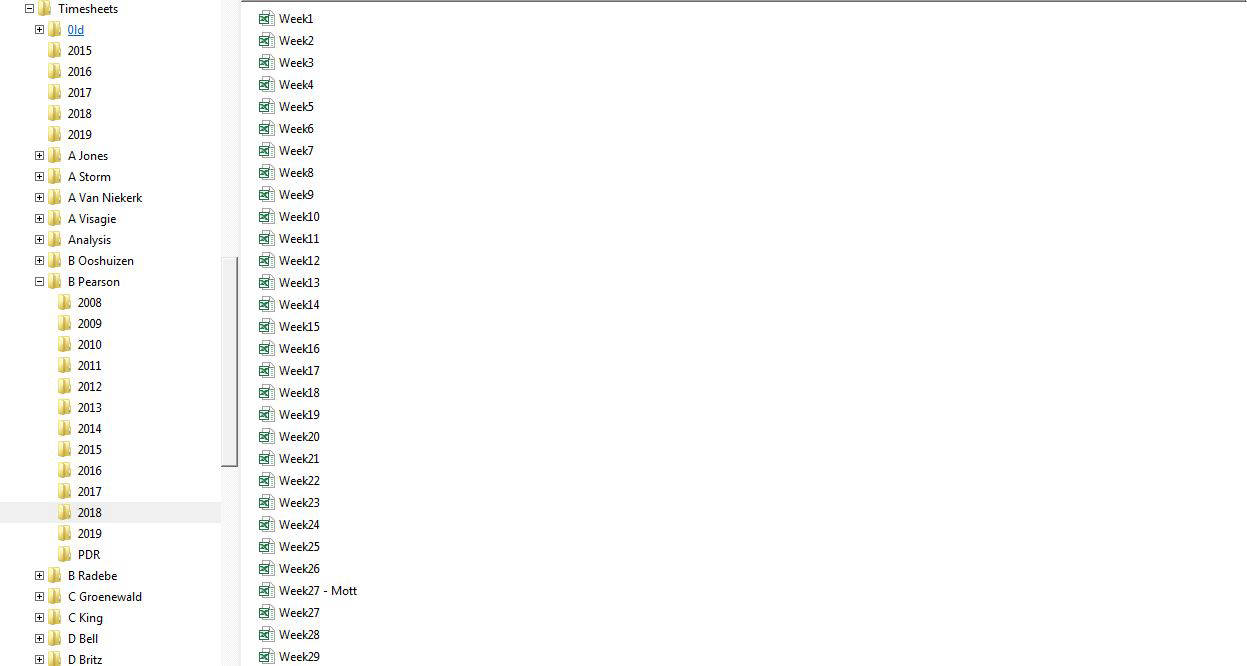
Every individual completes a weekly time sheet in Excel and these are saved in folders as shown here
2
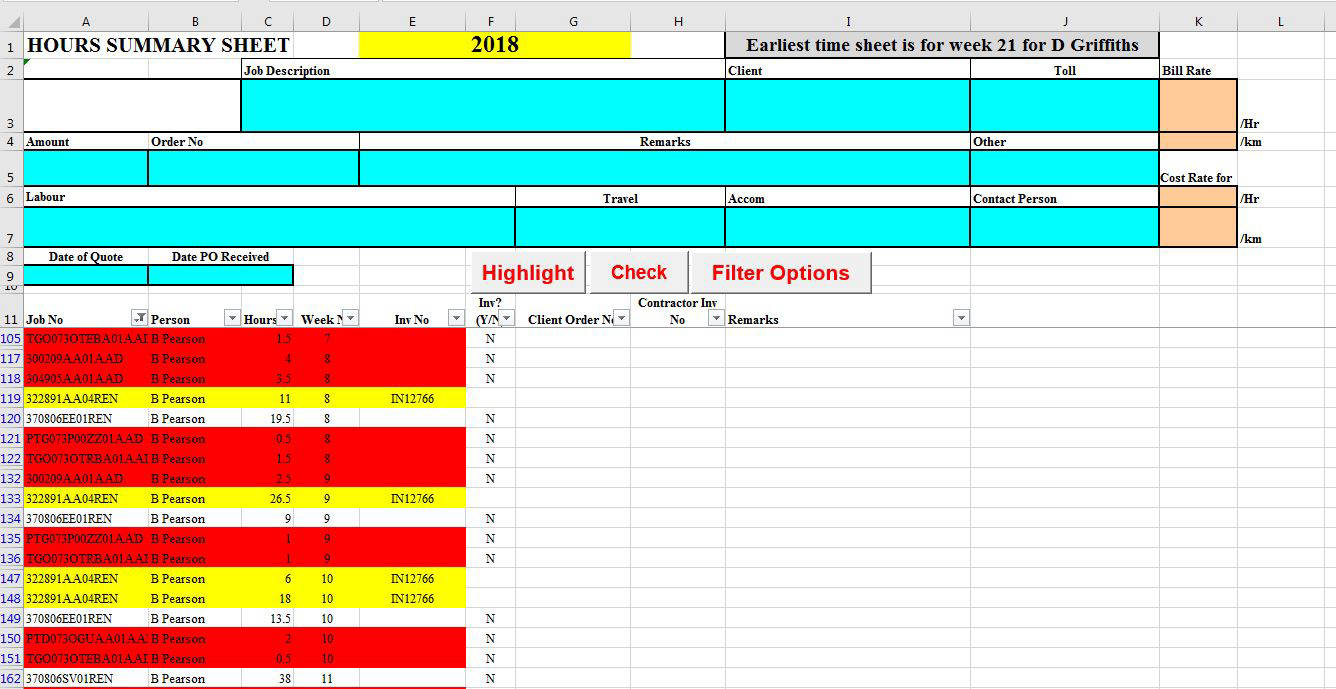
A spreadhseet is linked to all the time sheets for all the individuals and looks like this. This sheet is for hours and there are other sheets for km and expenses
3
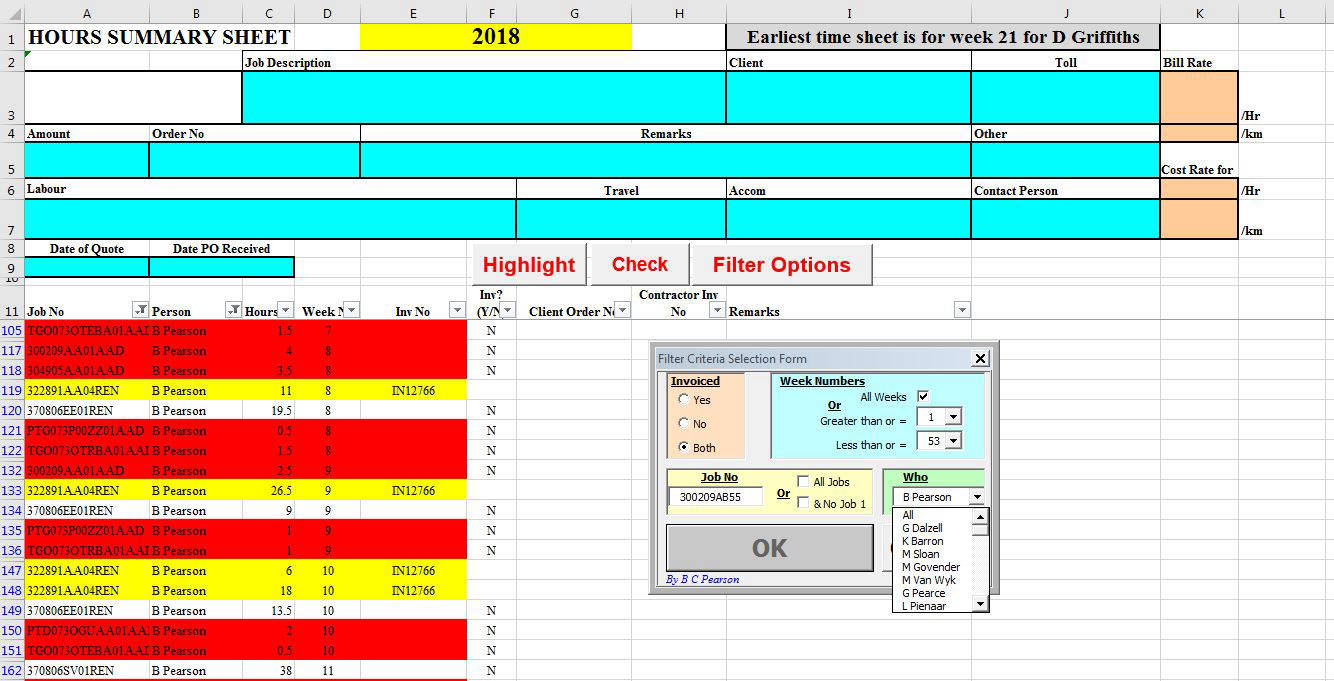
Click on the "Filter Options" button and a user form appears where you can select the project code, person, dates and whether it is invoiced or not. In this example the project code "300209AB55" and "All" people were selected
4
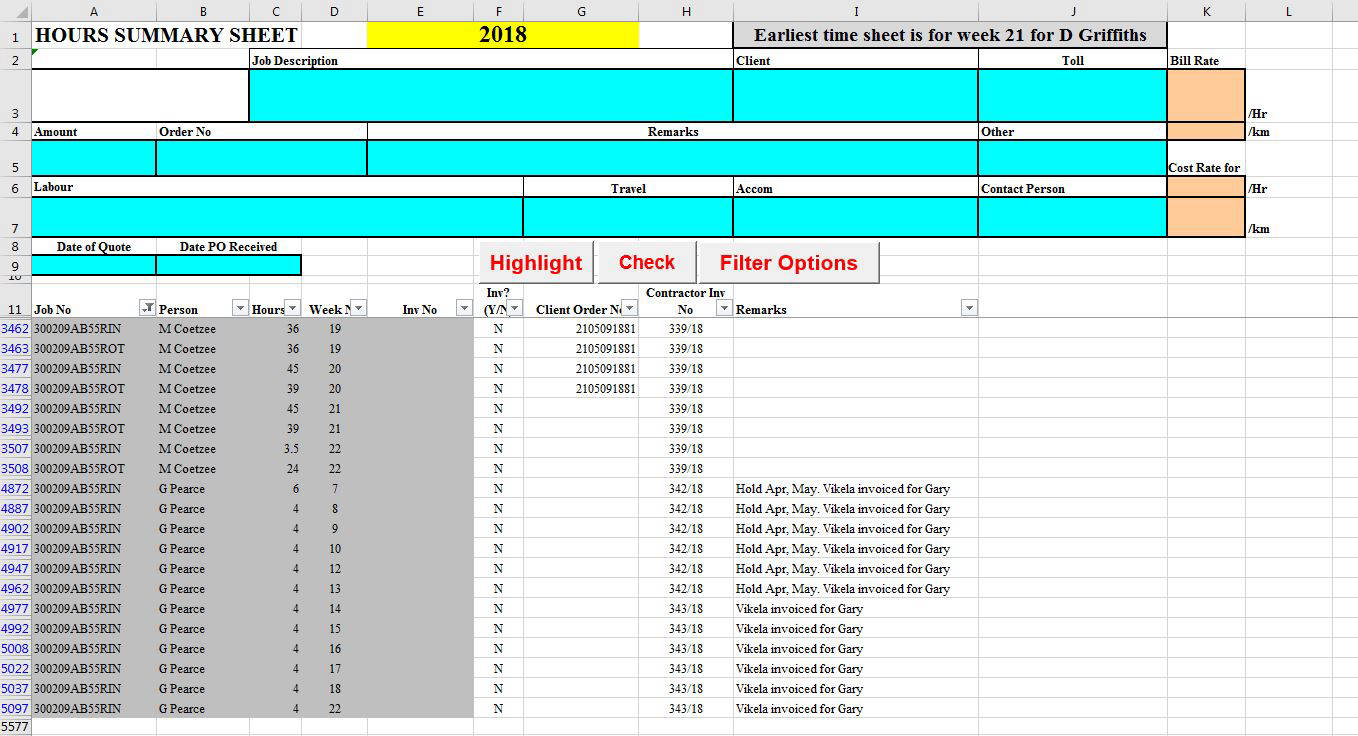
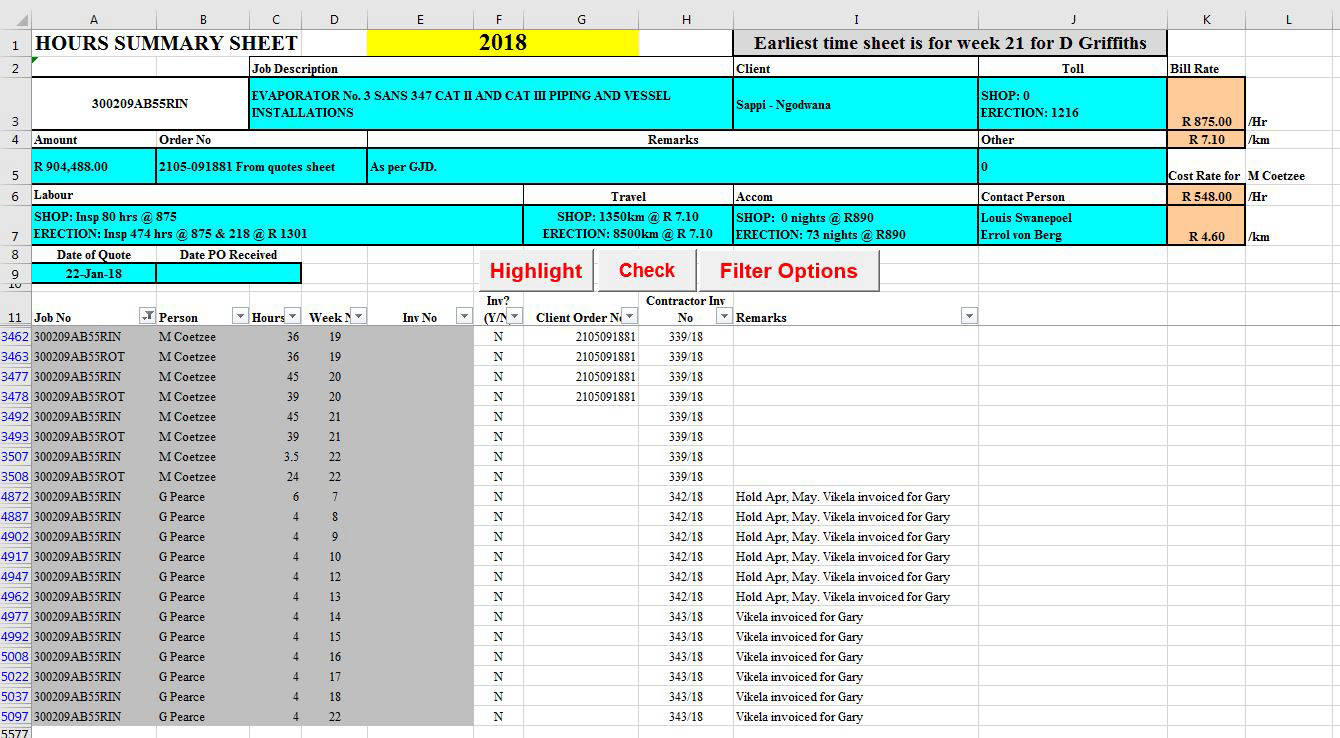
The selected data for this example looks like this for the hours for project "300209AB55"
5
By selecting, say, cell A3462 and clicking the "Check" button, the quotation details for this particular project is displayed in the blue cells like this
6
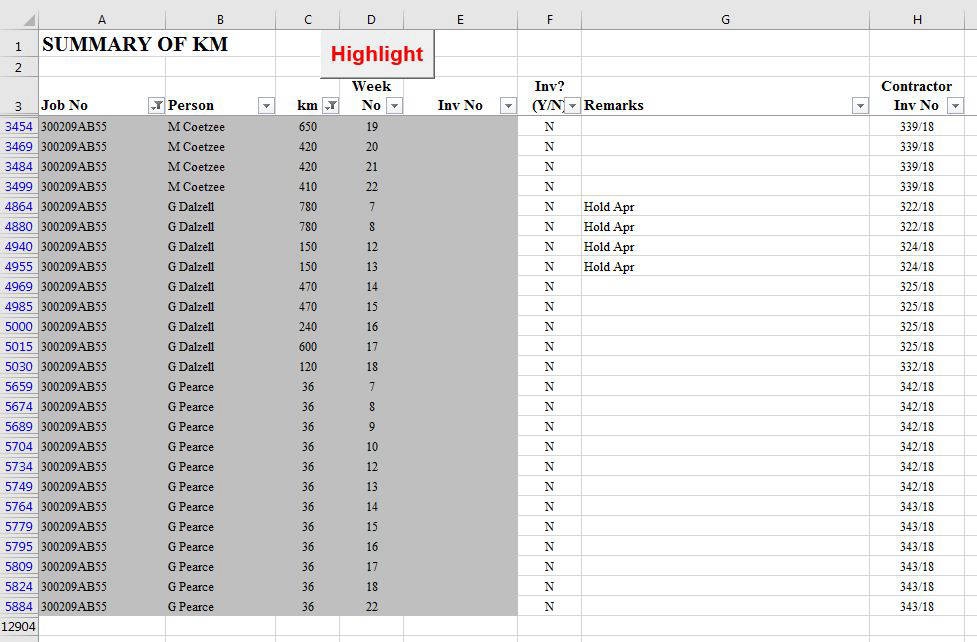
The km travelled by individuals is shown in this sheet
7
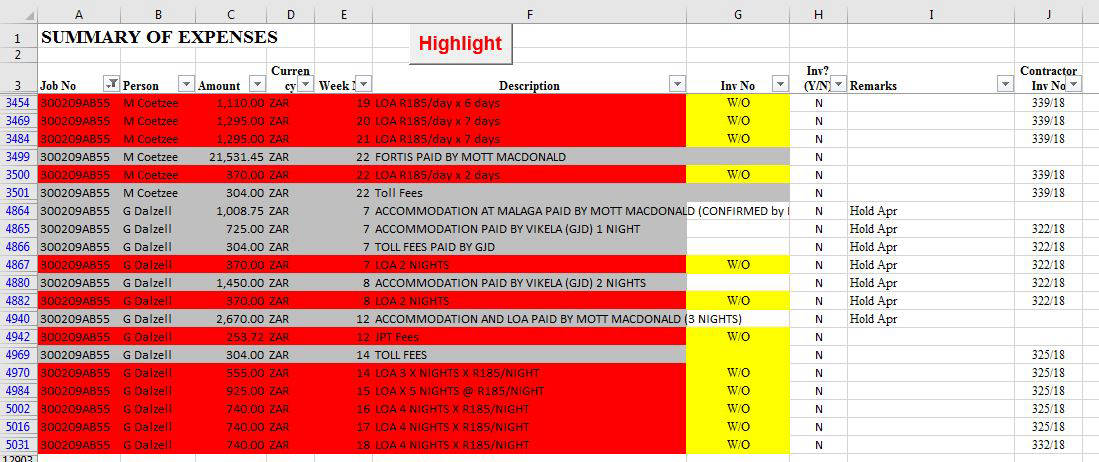
The disbursements look like this
8
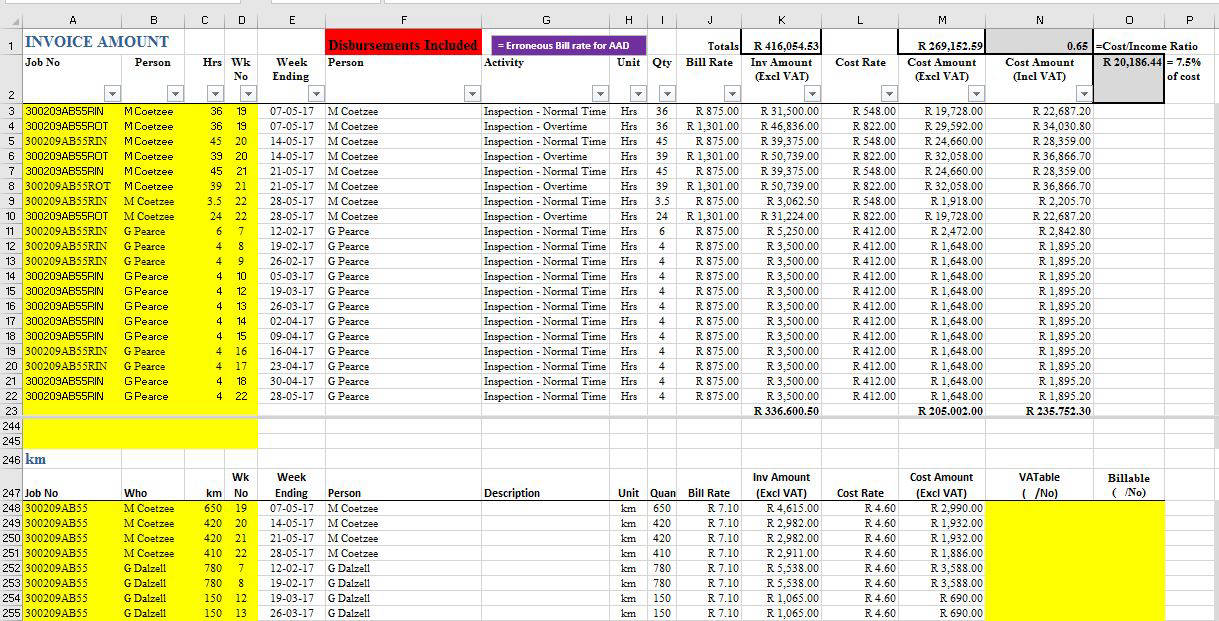
The amount to invoice the client as well as the cost to company is shown in another sheet like this